Everything your event needs, in one place.
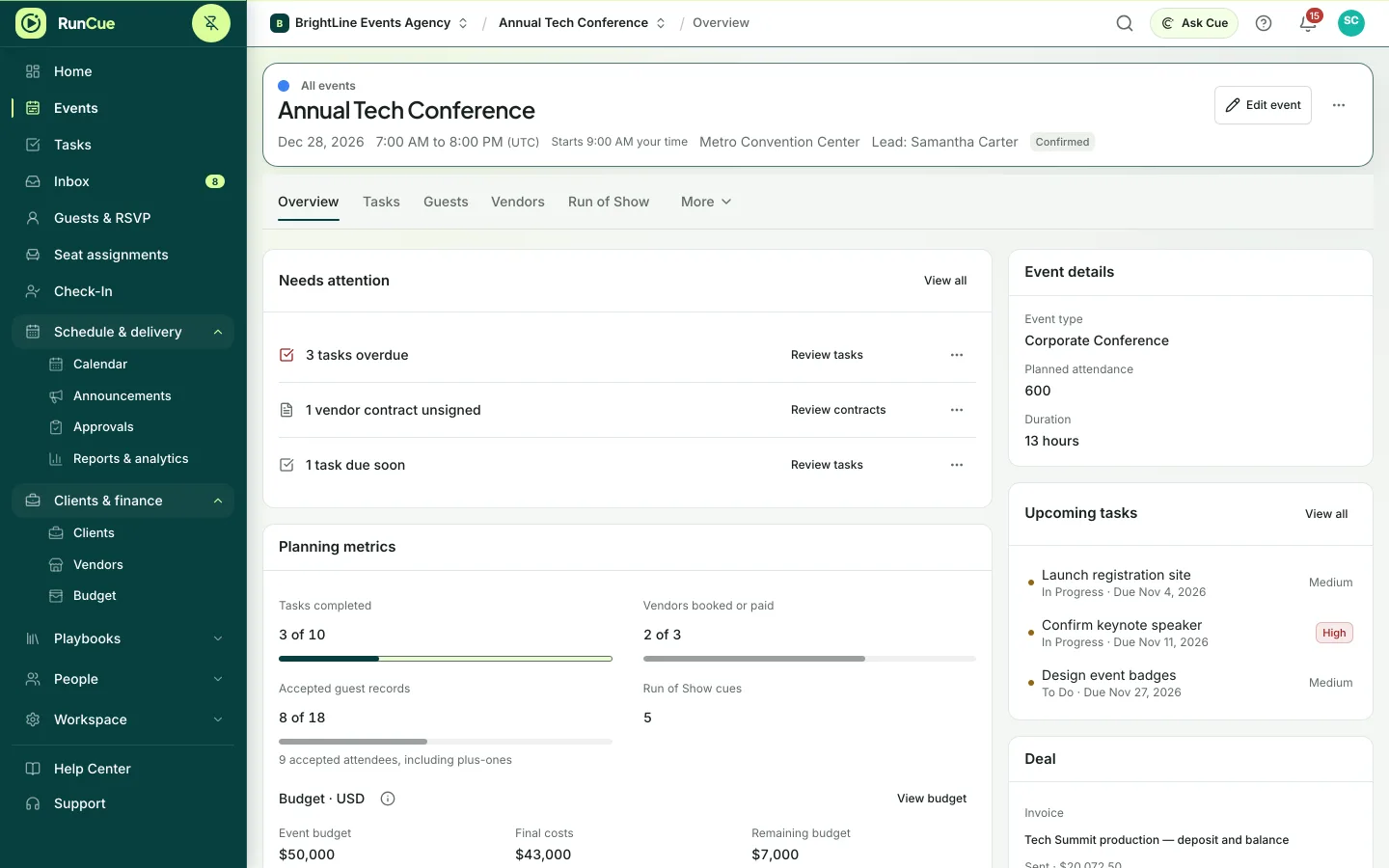
Plan the work, coordinate guests and vendors, lay out the room, run the day and close out, all from the same event. Nothing is copied between tools, so nothing falls through the gaps.
How it works
One event, five stages
01 · Plan
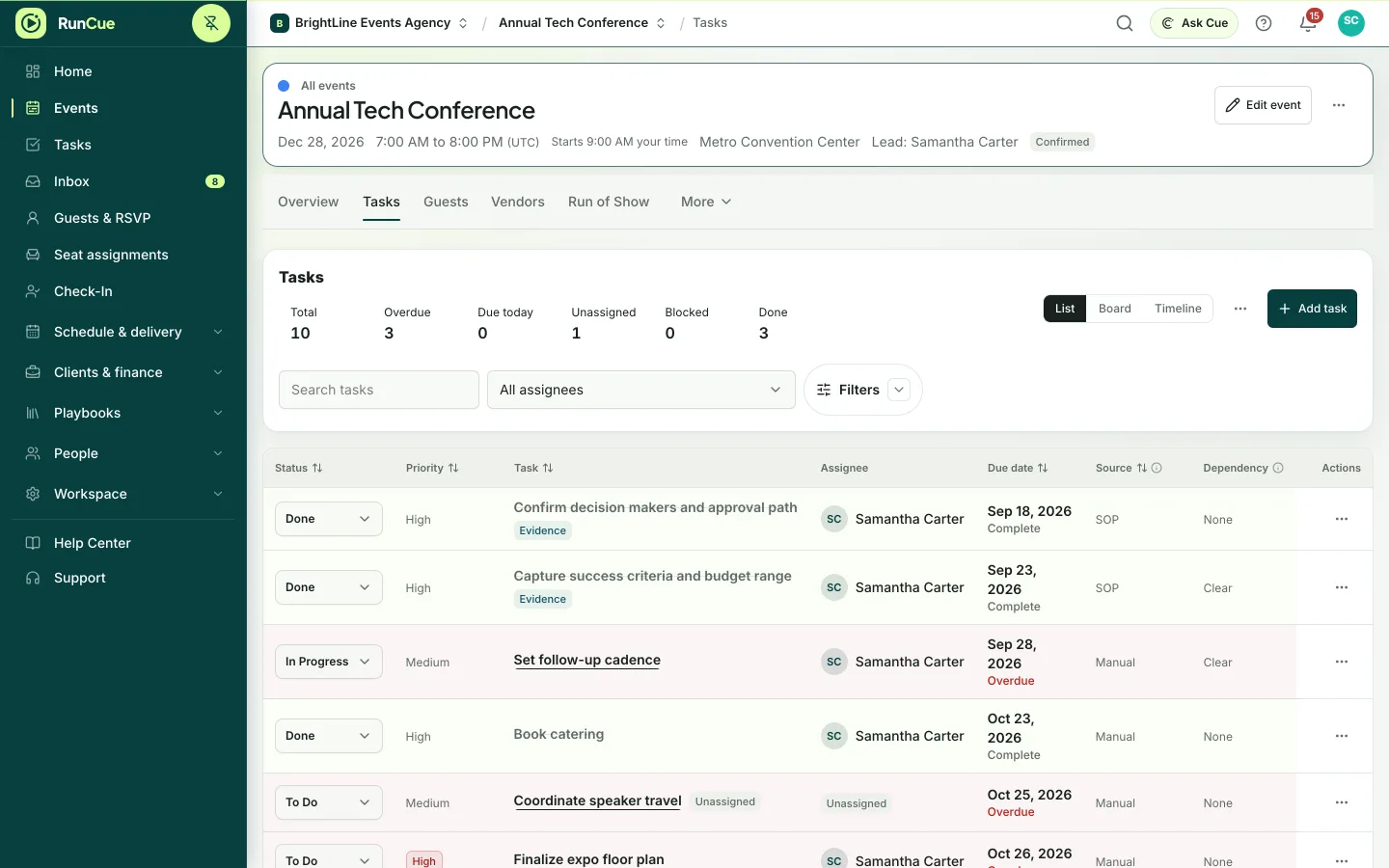
Turn the brief into a plan with owners
Start from a template or a past event and get a dated task list straight away. Every task has an owner, and anything blocked by another task is flagged.
- Templates and past events as starting points
- Tasks, dependencies and milestones
- List, board and timeline views
- Events that run over several days
02 · Coordinate
Keep vendors, guests and money in step
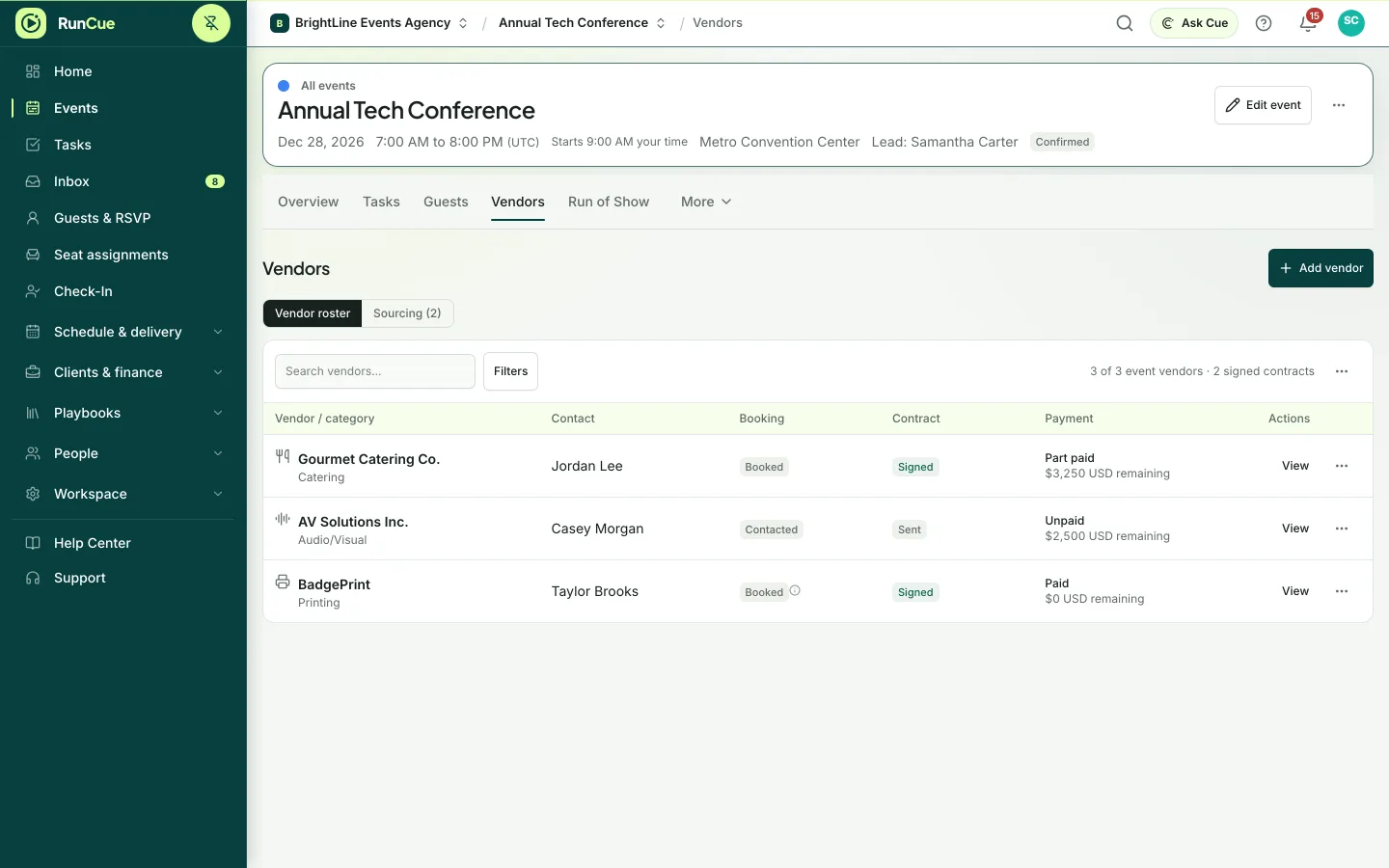
Vendors, guests and the budget live on the same event as the plan, so a change in one place shows up everywhere it matters.
- Vendor contacts, contracts and payment status
- Guest list, RSVP forms, dietary needs and plus-ones
- Budget with estimates, commitments and final costs
- Proposals, contracts and invoices
03 · Design the room
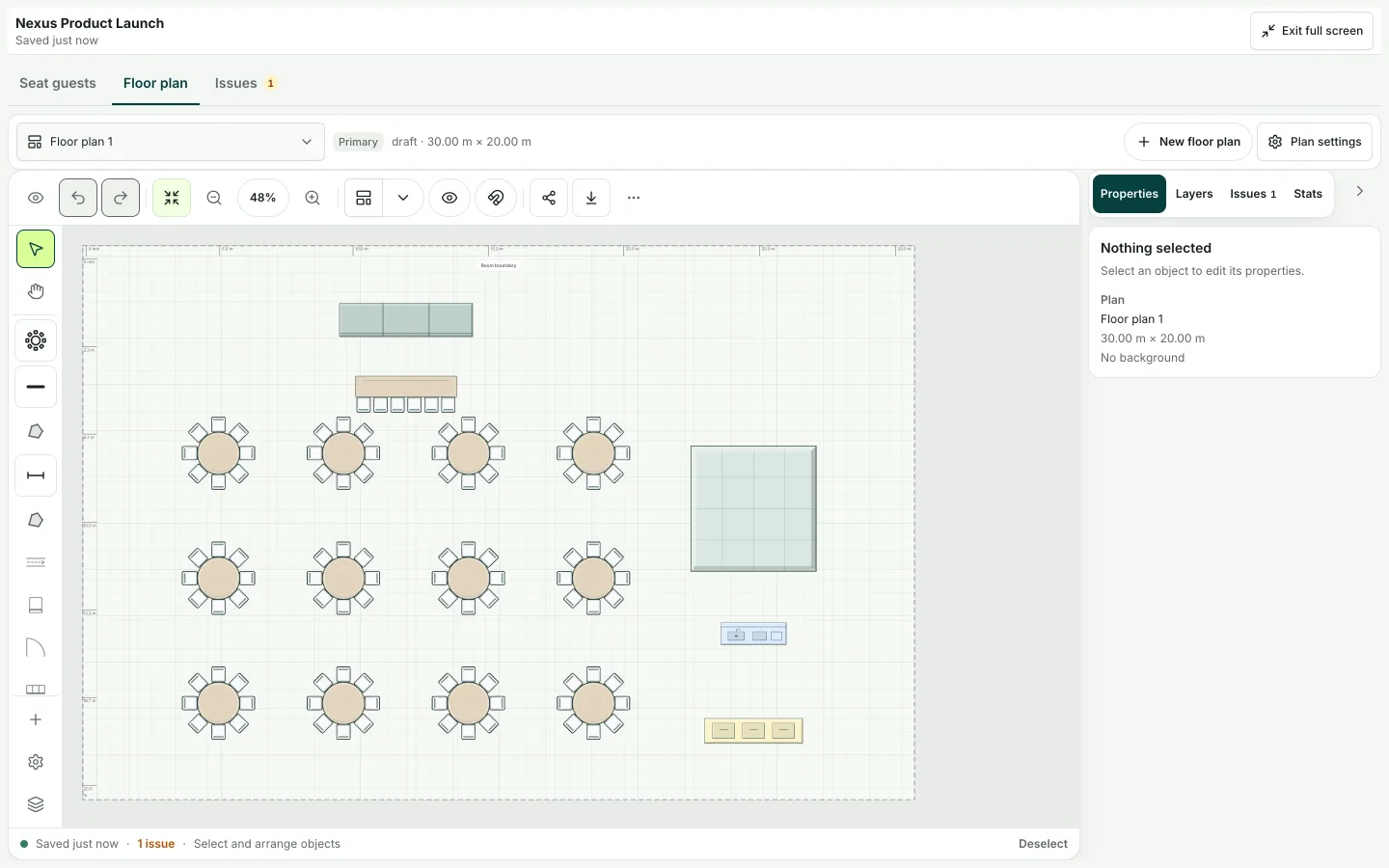
Floor plans and seating that match the guest list
Lay out the room from a template, then seat guests from the real list. RunCue warns you when the room cannot hold the people you have invited.
- Room layouts from templates
- Seat guests from the live guest list
- Capacity warnings
- Share or export the final layout
04 · Run the day
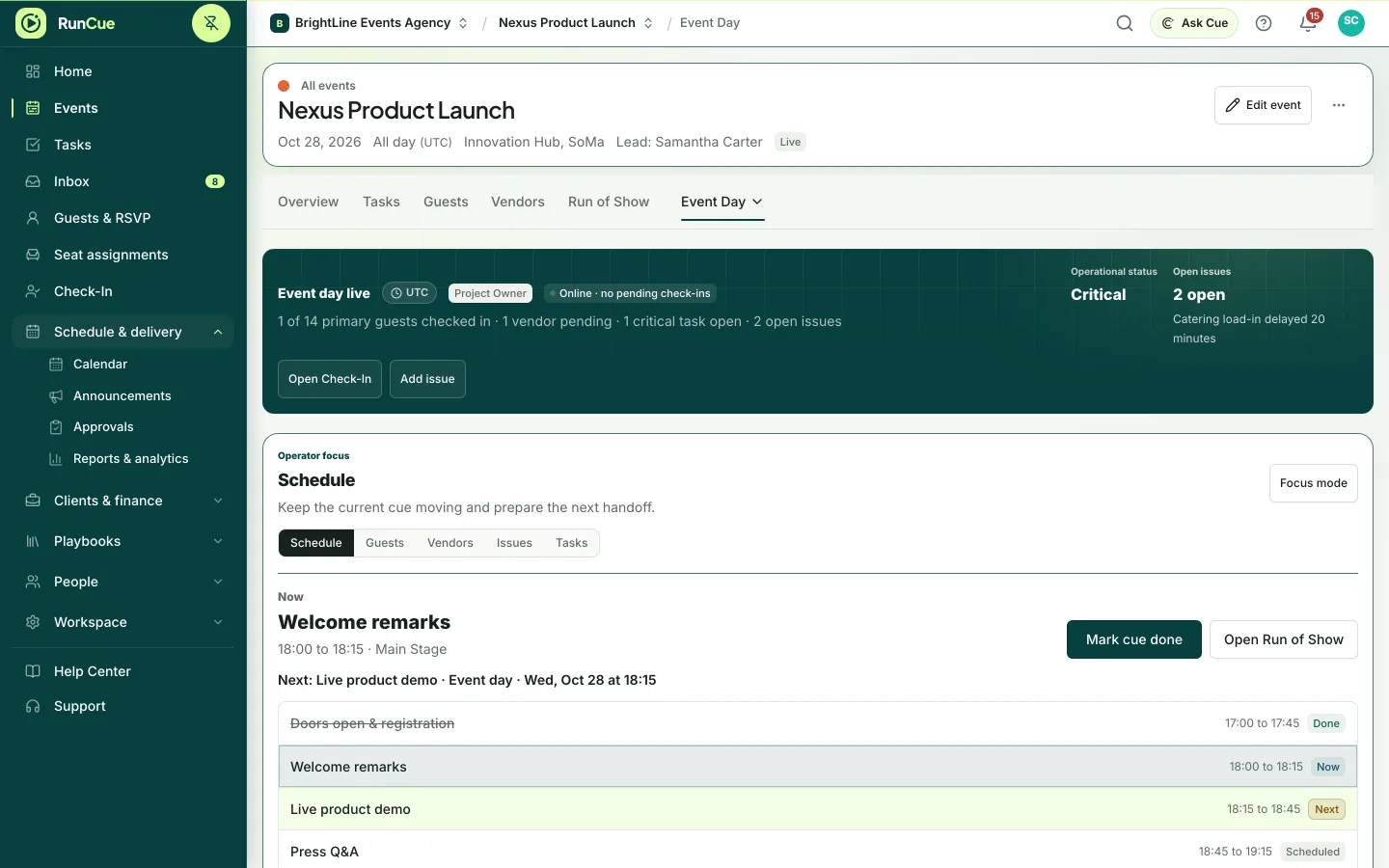
Run the day from the plan you built
Event Day shows the current cue, who has checked in, which vendors have arrived and every open issue, on a laptop, tablet or phone.
- Run of Show for every event day
- Guest check-in, including a door kiosk mode
- Vendor arrivals and delays
- Live issues, each with an owner
05 · Close out
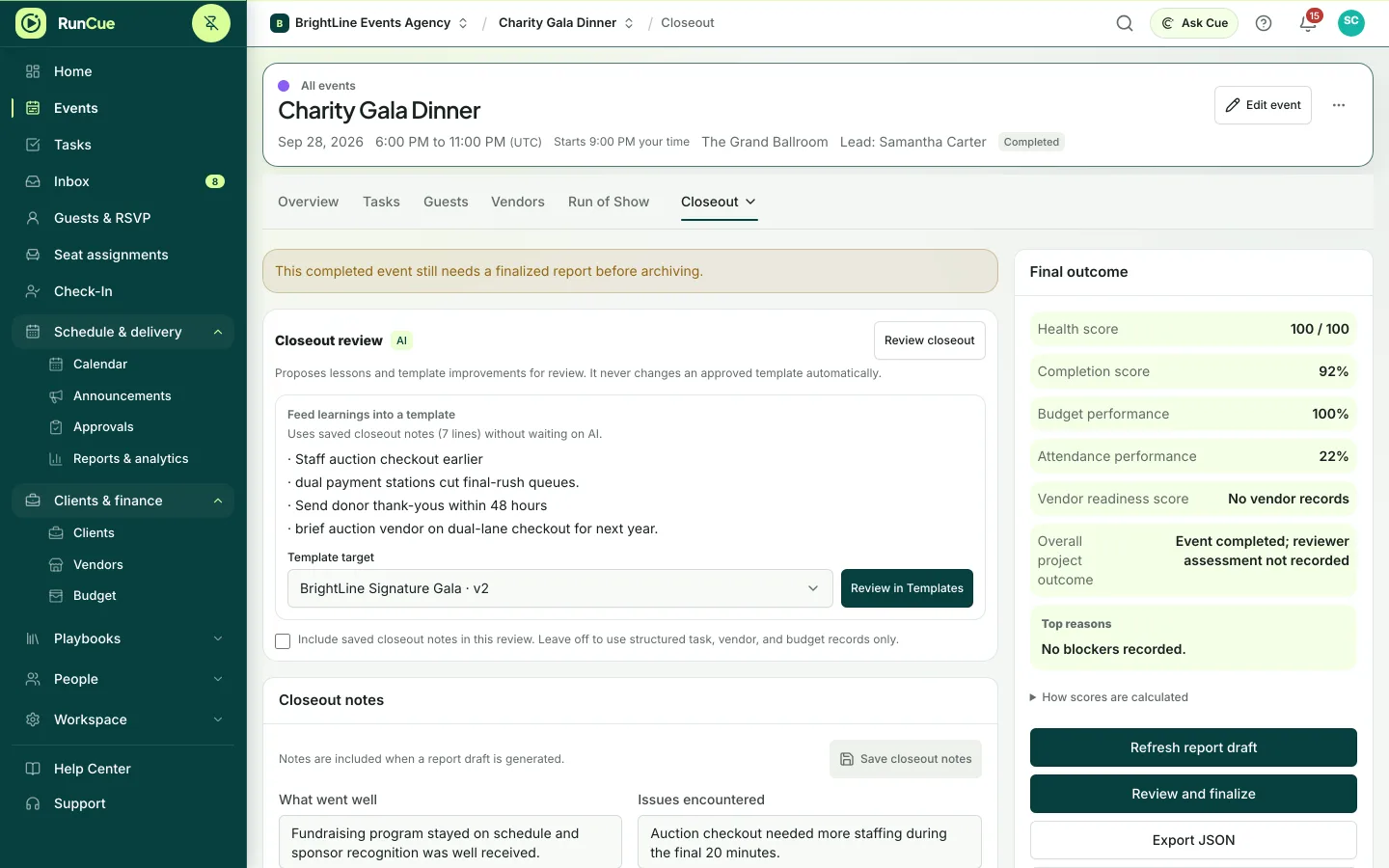
Finish with the numbers and the lessons
Record what happened, what it cost and what to change, then carry the lessons into your templates for next time.
- Attendance and budget against plan
- Closeout notes and reviewed lessons
- PDF, CSV and calendar exports
- Save the event as a new template
Ask Cue · Beta
Ask a question, get an answer from your own event.
Ask “What still needs an owner before doors open?” and Cue answers from the events you can access, with links to the records it used. It suggests next steps but never changes anything until you confirm. Included from the Personal plan up, and during the free trial.
Example: you ask Cue what still needs an owner before doors open. Cue checks the event and answers with the two records it found, and changes nothing until you confirm.
Why RunCue
Built for how events actually go wrong
Instead of spreadsheets
A spreadsheet holds lists, but it cannot tell you who owns a task, what is blocked or whether the room fits the guest list. Copies soon disagree.
Read the comparisonInstead of a general project tool
Project tools handle tasks well, but guests, seating, vendors, budgets and the run of show have to be rebuilt by hand for every event, and they still do not connect.
Read the comparisonInstead of several separate tools
Separate tools work until their records disagree: seats without guests, vendors without arrival times, cues without owners.
Read the comparisonRunCue is not a sales CRM or a ticketing and registration platform. It picks up once an event is booked and needs to be delivered, and can sit beside those tools through CSV, calendar sync, API tokens and webhooks.
Try it on your next event
Start with a template, invite your team and build a real run of show. Free for 14 days, no payment card needed.