Spot an overspend while you can still fix it.
Track estimates, committed costs, final costs and payments line by line, next to the vendors and work they belong to.
Budgets are on every plan. Proposals, contracts and client invoices are included on Team and Business, and during the free trial.
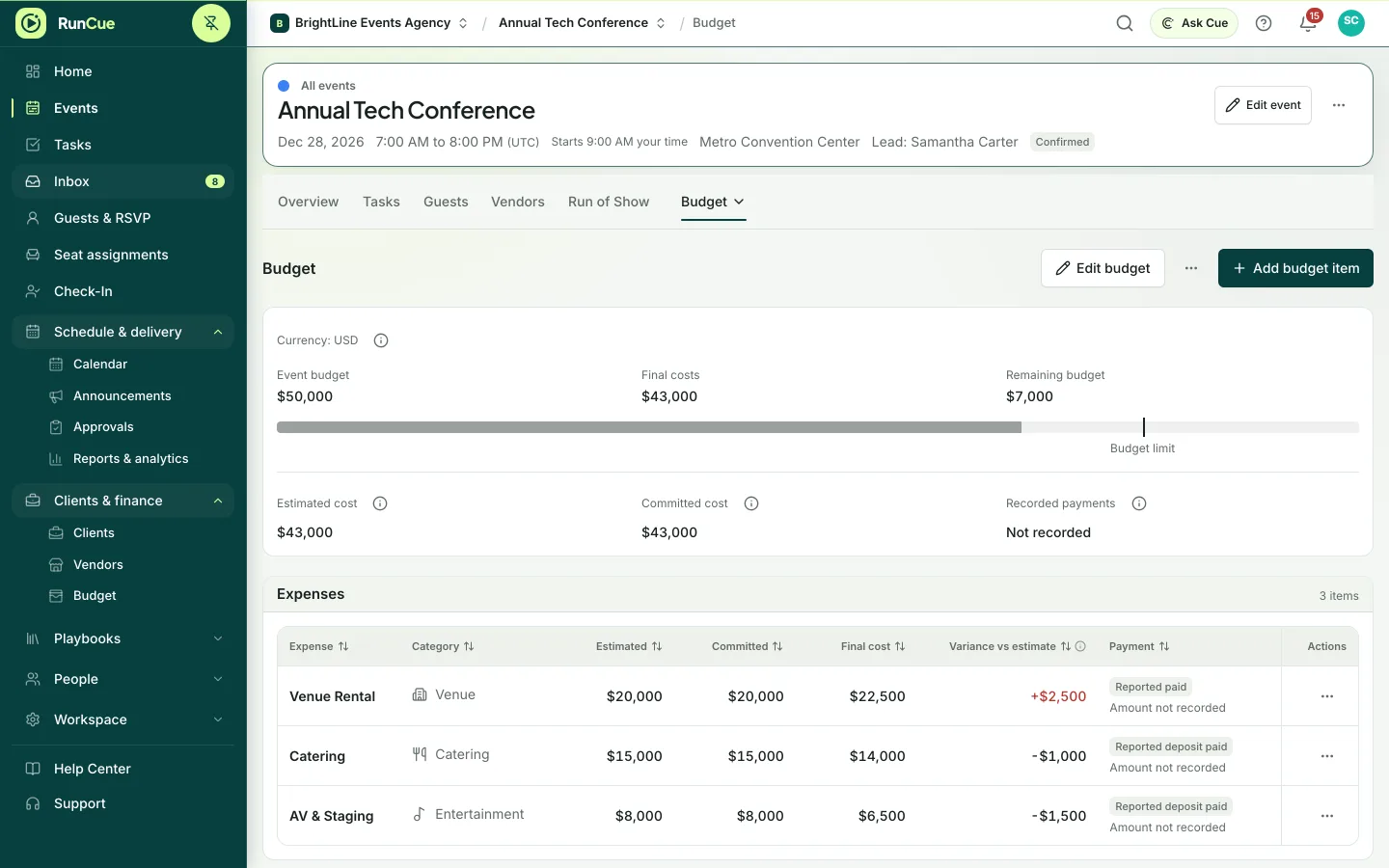
Example budget: committed costs and payments fill in against the budget limit, and a catering overrun is flagged.
The work behind budget & commitments
Budget & commitments, in practice.
A single total hides the difference between what you estimated, what you have committed to, what it finally cost and what you have paid.
- 01
Set up categories
Create budget categories yourself, import them from a spreadsheet or bring them in from a template.
- 02
Record estimates and commitments
Keep planned amounts separate from what you have agreed to pay.
- 03
Update final costs and payments
Record final costs and vendor payments as they come in, and see the variance on every line.
- 04
Close out the numbers
Compare the final position with the plan, and carry the structure into future events.
Inside RunCue
Budget & commitments · product view
What is included
- Budget categories and totals
- Estimates, commitments and final costs
- Costs linked to vendors
- Deposits and payment status
- A history of budget changes, with reasons
- CSV import and export
What changes for your team
- Overspend is visible before the money is spent
- Every cost stays linked to its vendor
- A final variance ready for the closeout report
Questions about budget & commitments
What is the difference between a commitment and a final cost?
A commitment is what you have agreed to pay before the final amount is known. The final cost is what the item actually cost. Payments are recorded separately.
Can I see why the budget changed?
Yes. Each budget change keeps a note of who made it and why.
Can RunCue send client invoices?
Yes, on Team and Business. You can create client invoices and record their payment status.