Know whether you are ready, and what is slipping.
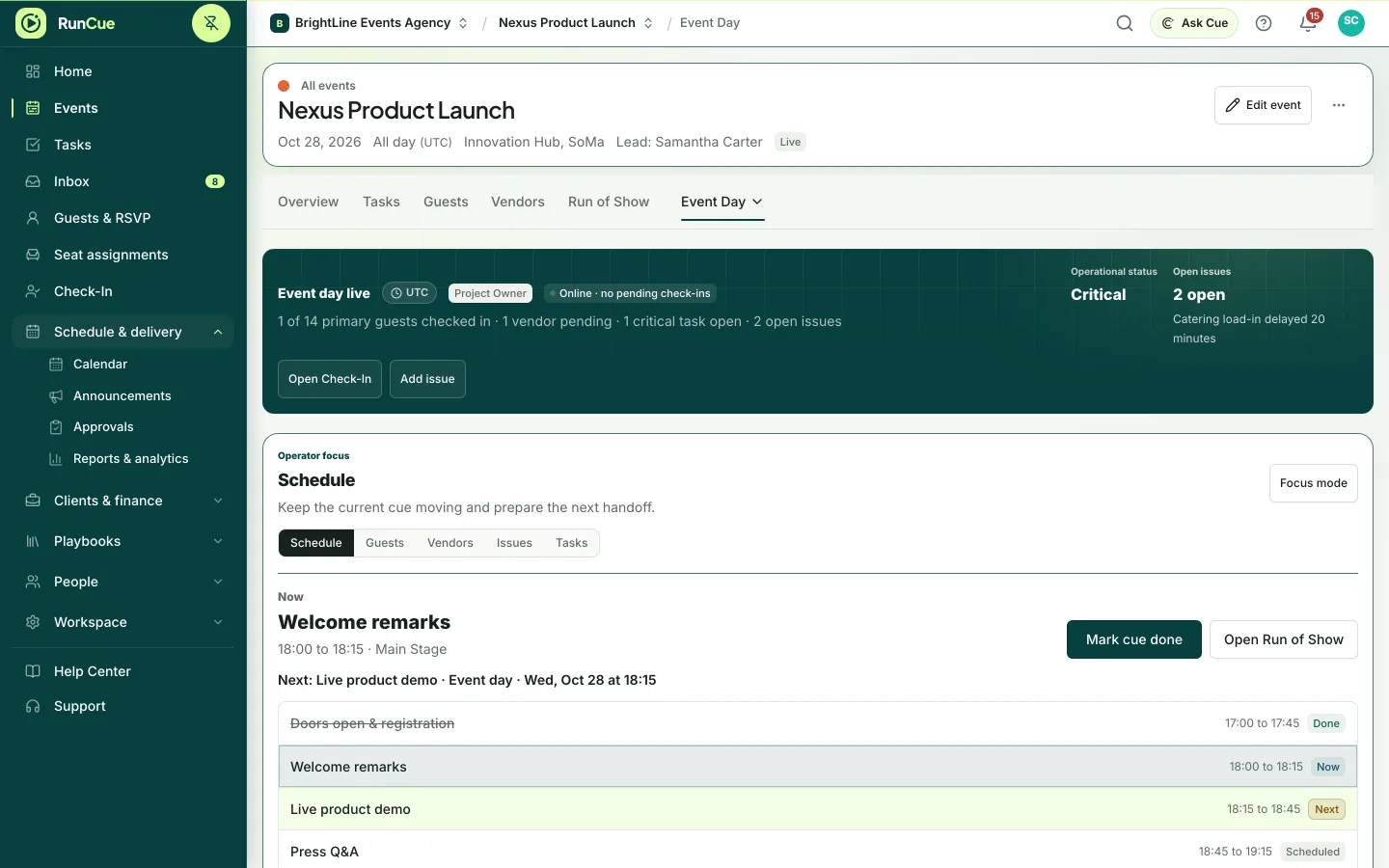
Event Day turns the plan into a live view: the current cue, who has checked in, which vendors have arrived and what needs dealing with right now.
Event Day and the live run of show are on every plan. Guest check-in is included from the Personal plan up and during the free trial.
Example Event Day view: Now and Next update as cues finish, and a live issue gets an owner and is acknowledged.
The work behind event day
Event Day, in practice.
On the day, the plan stops being the point. What matters is whether the doors can open. Is the caterer here? Is the room set? Is anyone dealing with the thing that just went wrong?
- 01
See if you are ready
RunCue checks open tasks, cues without owners, vendor arrivals and guest status, and tells you what still needs doing.
- 02
Work the day
Tick off tasks and move cues along as they happen, so the live view matches what is happening in the room.
- 03
Check guests in
Check guests in from Event Day, or hand the door team a kiosk view with large search and touch targets.
- 04
Track vendors and issues
Record when a vendor arrives or is running late, and log issues with a severity and an owner instead of a message in a group chat.
Inside RunCue
Event Day · product view
What is included
- Readiness worked out from your tasks, cues, vendors and guests
- Guest check-in, including a kiosk mode for the door
- Vendor arrivals and delays
- Live issues with severity, status and an owner
- Live Run of Show progress
What changes for your team
- A clear answer to “are we ready?”
- Door staff work from a simple check-in screen
- Problems are logged with an owner while the event is still running
Questions about event day
What do door staff see?
A guest search with each person’s RSVP, table, dietary needs, VIP status and whether they have arrived.
Does it work on a phone or tablet?
Yes. Event Day and check-in work in a phone or tablet browser, and RunCue can be installed to the home screen.
How does RunCue decide whether we are ready?
From your actual records: open tasks, cue owners and timing, vendor arrivals and guest status. There is no separate checklist to keep up to date.