Lay out the room, then seat the real guest list.
Build the room from a template, assign guests from the event’s own guest list, and see straight away if the room is over capacity.
Included from the Personal plan up (5 floor plans) and during the free trial. Team and Business allow more floor plans and tables.
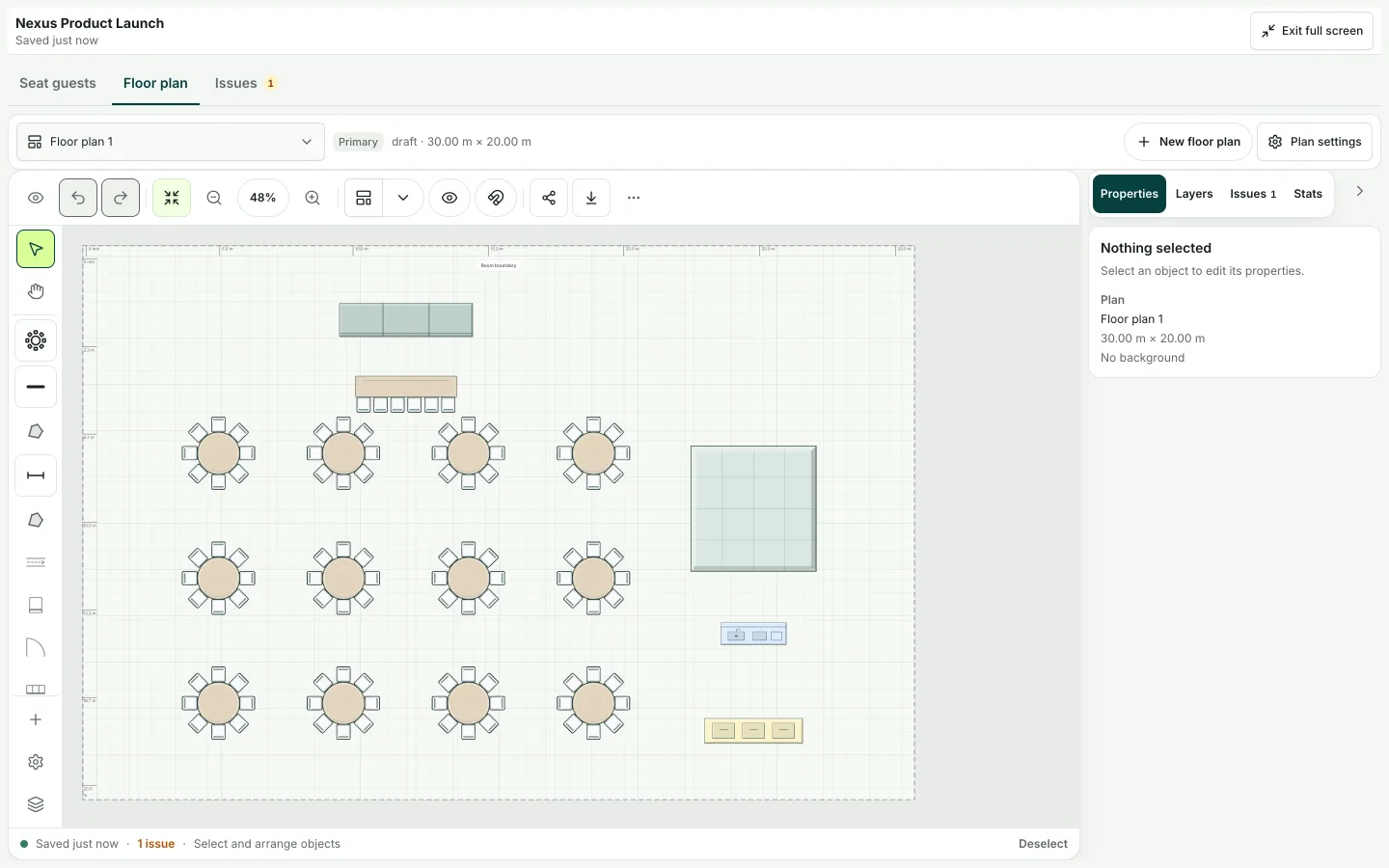
Example floor plan: guests are seated at tables, each table fills up, and the count of unseated guests falls.
The work behind floor plans & seating
Floor plans & seating, in practice.
Seating usually lives in a drawing that has nothing to do with the guest list. The plan says 180, the room seats 164, and nobody finds out until the room is being set.
- 01
Lay out the room
Start from a layout such as a wedding reception, banquet or classroom, then place tables, the stage, entrances and other objects.
- 02
Seat the guest list
Assign guests from the event’s guest list, so seating and RSVPs never drift apart.
- 03
Check capacity
RunCue compares the layout with the guest count and warns you before the room is set.
- 04
Share and revise
Every change is saved as a revision, and you can export the plan or share a fixed copy with the venue.
Inside RunCue
Floor plans & seating · product view
What is included
- Room layout templates to start from
- Tables, seats, stage, entrances and other objects
- Seat guests straight from the guest list
- Capacity warnings
- Revision history, with undo and redo
- Export or share a fixed copy by link
What changes for your team
- A seating plan that matches the guest list
- Capacity problems found before the room is set
- A record of who changed the layout, and when
Questions about floor plans & seating
Does seating use my real guest list?
Yes. Seats are assigned from the event’s guest records, so RSVP changes and seating stay in step.
What if two people edit the plan at once?
If someone else changed the plan while you were working, RunCue tells you instead of silently overwriting their changes.
Can I share the layout with a venue or client?
Yes. Export the plan, or share a fixed copy through a link.