Finish every event with a record, not a recollection.
Review attendance, the budget outcome, issues and lessons while the event is still fresh, and carry what worked into next time.
Closeout and event reports are on every plan. Free exports PDF; paid plans add CSV and JSON. Reports across all your events are included on Business.
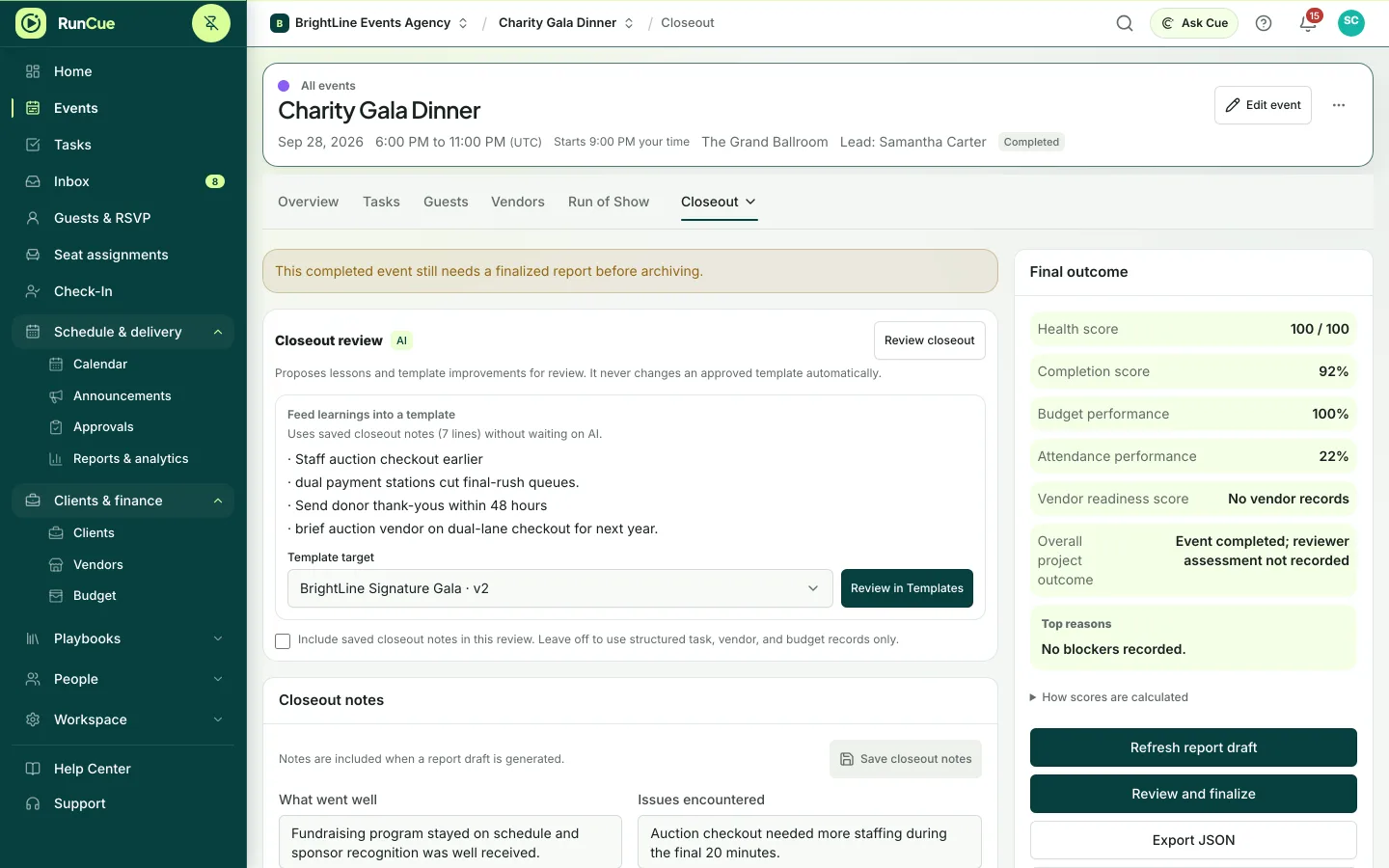
Example closeout: budget versus final costs per line, attendance, and lessons saved to the template for next time.
The work behind reports & closeout
Reports & closeout, in practice.
Once the room is cleared, the team moves on. Costs, attendance and lessons get pieced together weeks later, or never.
- 01
Tie up loose ends
Work through the closeout checklist: remaining tasks, issues, documents and payments.
- 02
Review the outcome
See progress, attendance, the budget position and what went wrong, drawn from the event’s own records.
- 03
Agree the lessons
Write down what went well and what to change, and review suggestions before they go anywhere.
- 04
Reuse what worked
Turn the event into a template. Guest names, contact details and other client data are left out.
- 05
Archive it
Move the event out of your active list with its history intact, and close any links you shared with clients and vendors.
Inside RunCue
Reports & closeout · product view
What is included
- Progress and risk reports
- Attendance and budget outcomes
- Closeout checklist and report
- Reviewed lessons
- Reports across all your events (Business)
- Templates that leave out guest and client data
- Automatic archiving after events end
What changes for your team
- Stakeholders get a consistent report every time
- Lessons are agreed before they change how you work
- The next event starts from what actually happened
Questions about reports & closeout
Can I share a report?
Yes. Share it with the people who have permission to see it, or export it.
Can I turn a finished event into a template?
Yes. Guest names, contact details and other sensitive information from the event are left out of the template.
Can I compare results across events?
Yes, on Business. Event analysis compares attendance, budget and progress across all your events.
Can I delete an event?
Yes, while nothing has happened in it yet, such as a draft or a duplicate, and you can restore it for 30 days. Once there are payments, signed contracts, guest replies or sent messages, you archive the event instead, so its history and reports stay.