Tasks that know which event they belong to.
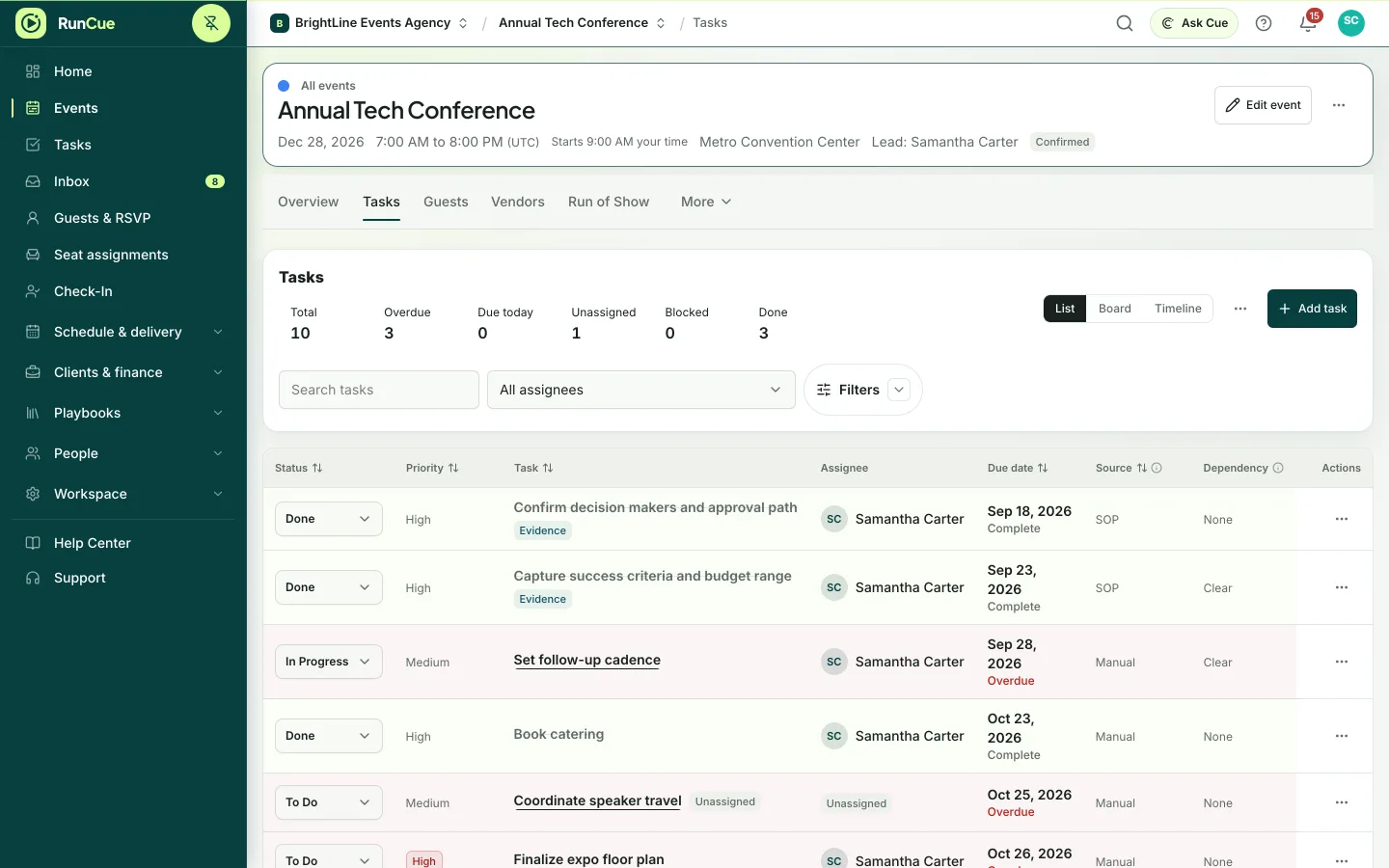
Plan work in list, board and timeline views, with every task tied to its event, its owner and the tasks that depend on it.
Included on every plan. Free allows 25 active tasks per event. Team and Business add approval workflows.
Example: an overdue task with an owner moves from To Do to In Progress to Done, and the overdue count drops.
The work behind tasks & projects
Tasks & projects, in practice.
A generic task board shows what is in progress, but not what a late task means for the vendors, the room or the run of show.
- 01
Create the work
Add tasks yourself or bring them in from a template.
- 02
Set dates and owners
Give each task a start date, due date, owner and priority.
- 03
Link dependencies
Mark what has to finish first, and see which later dates are at risk when something slips.
- 04
Work in the view that suits you
Switch between list, board, timeline and your own task list. It is the same task everywhere.
Inside RunCue
Tasks & projects · product view
What is included
- List, board and timeline views
- Owners, watchers and mentions
- Dependencies and blocked tasks
- Bulk edits and saved views
- Repeating tasks and reminders
- CSV import
What changes for your team
- Shared ownership instead of private checklists
- Blocked work is visible well before the event day
- One task, shown in every view where it matters
Questions about tasks & projects
Is there a board view?
Yes. Work tasks as a board, a list or a timeline.
Can one task block another?
Yes. Dependencies show which tasks are blocked and which later dates may slip.
Can people see only their own work?
Yes. Each person has their own task list and saved views, while the shared event stays the single source.