Turn the brief into a plan people can run.
Record the event’s goals, dates, venue, budget and contacts, and turn them into owned work that stays connected all the way to closeout.
Included on every plan. Business adds published SOPs that team members acknowledge.
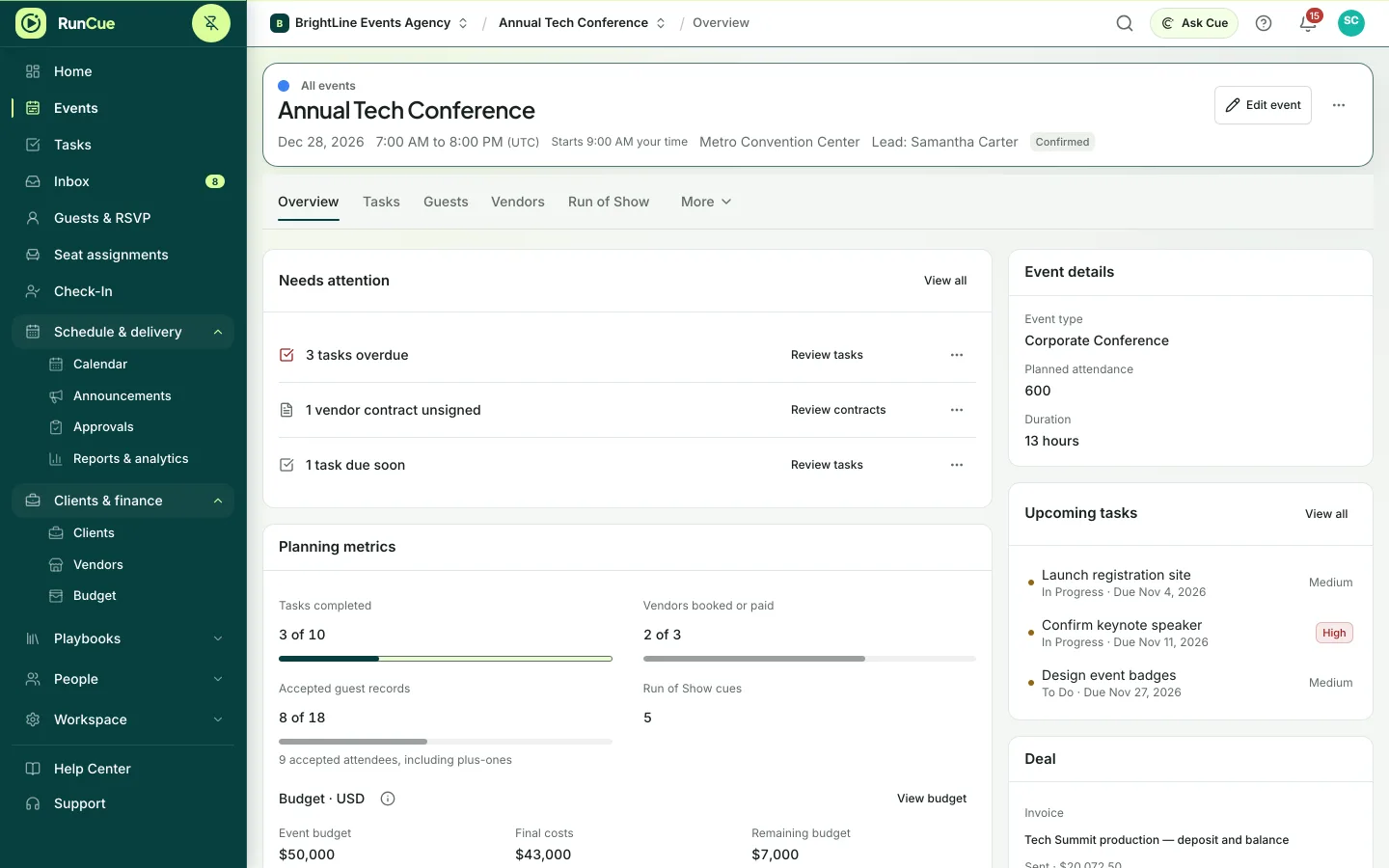
Example: an event starts from a template, its tasks arrive with owners and due dates, and the first task is completed.
The work behind event planning
Event planning, in practice.
A brief is only useful if its decisions turn into owned work. Copying requirements into separate checklists, calendars and documents leaves gaps before planning has even started.
- 01
Capture the brief
Record the event type, dates, venue, budget, contacts and requirements on the event.
- 02
Start from a template
Apply a template with tasks, dependencies, budget categories and a run of show, then adjust it for this event.
- 03
Watch what needs attention
The event overview shows overdue tasks, missing owners, unsigned contracts and other gaps as they appear.
- 04
Carry it through to closeout
The same event moves from planning to coordination, the day itself, reports and lessons for next time.
Inside RunCue
Event planning · product view
What is included
- Event briefs and setup
- Reusable templates
- Tasks, milestones and dependencies
- Events that span several days
- An overview of what needs attention
- Documents and a full history on every event
What changes for your team
- Requirements become owned work
- One event record from brief to closeout
- A repeatable process that still lets every event be different
Questions about event planning
Can clients send us their brief?
Yes. A public brief form, client records, proposals and agreements connect the client’s first requirements to the event plan.
Can we start from a template?
Yes. A template can add tasks, dependencies, budget categories and a run of show to a new event.
Can one event span several days?
Yes. Each event has a duration, and schedules and cues are attached to the right day.