A run of show the whole team can actually run.
Build the schedule once, give every cue an owner, and use the same schedule live on the day, across every day of the event.
Included on every plan. Free allows 10 cues per event; paid plans allow more.
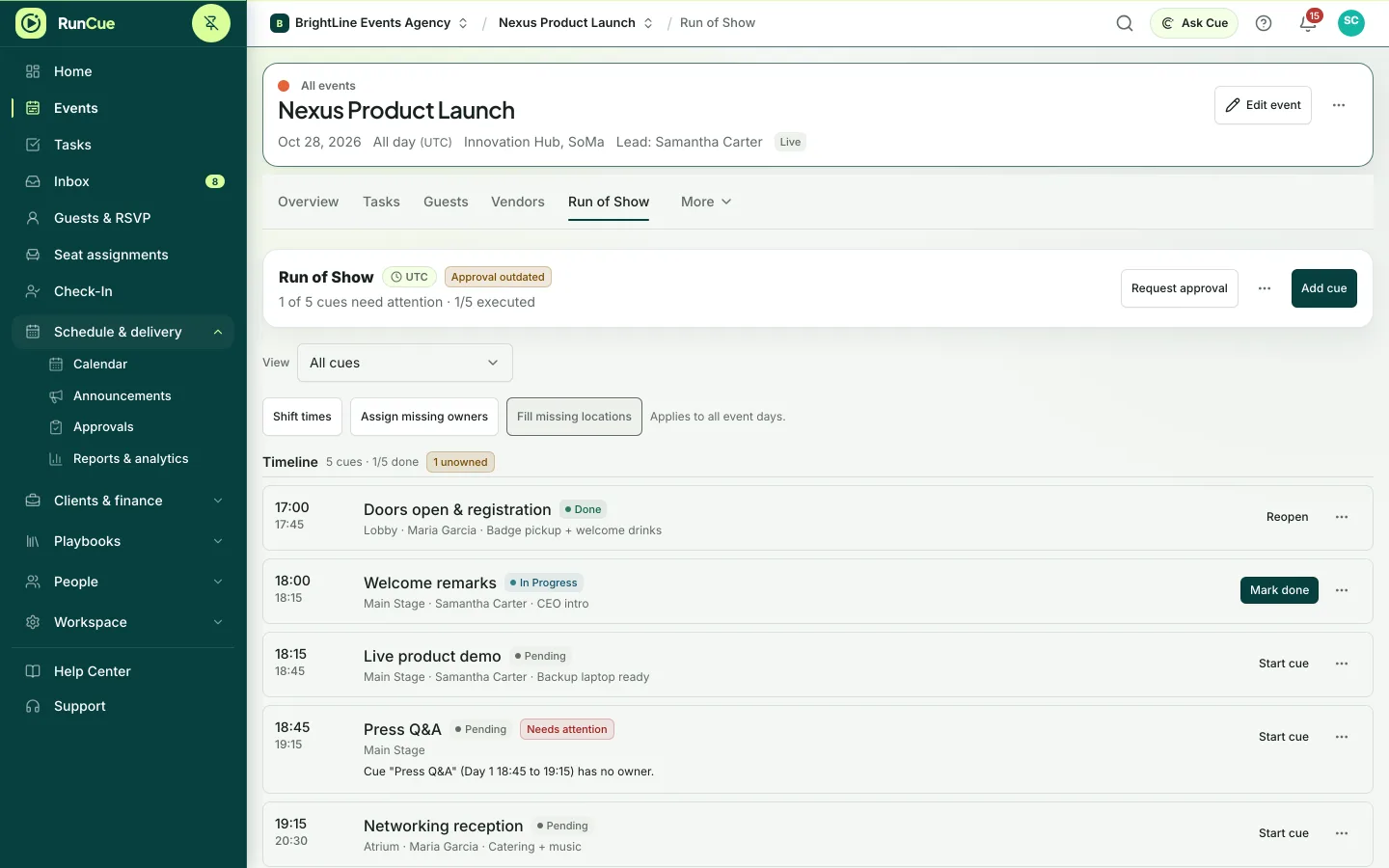
Example Run of Show: Welcome remarks is marked done, Live product demo is started and shows In Progress, and a cue without an owner is flagged.
The work behind run of show
Run of Show, in practice.
Most run sheets are a shared file that goes stale the moment something moves. Nobody knows which version is current, cues have no owner, and the real timing lives in one person’s head.
- 01
Build the schedule
Add cues with a start and end time, a location and notes. On multiday events each cue belongs to a specific day, so Day 2 is never confused with Day 1.
- 02
Give every cue an owner
Assign each cue to someone on the event team. Cues without an owner are flagged, so the gap shows up before the day, not during it.
- 03
Check the schedule
RunCue checks for overlaps in the same room, turnarounds that are too short, long gaps, duplicate cues and missing owners.
- 04
Run it live
On the day, cues move from Pending to In Progress to Done, so everyone sees where the show actually is.
Inside RunCue
Run of Show · product view
What is included
- Start and end times, location and notes on every cue
- Separate schedules for each day, including cues that run past midnight
- An owner on every cue
- Live status: Pending, In Progress, Done
- Automatic checks for overlaps, gaps, duplicates and missing owners
- Reuse a run of show from a template
What changes for your team
- One live schedule instead of competing file versions
- A named owner on every cue before doors open
- Timing problems found while they are still easy to fix
Questions about run of show
Does it handle multiday events?
Yes. Each cue belongs to a specific day, so a three-day festival keeps Day 1, 2 and 3 separate, and a cue can run past midnight into the next day.
Can I reuse a run of show?
Yes. Save it in a template and it is added to every new event made from that template, ready to adjust.
What does the schedule check look for?
Invalid times, overlapping cues in the same location, short turnarounds, long unscheduled gaps, duplicate cues, and cues with no owner or notes.