Share what clients and vendors need, and nothing else.
Give your team access by role, give clients and vendors their own private portal, and keep a clear record of which contract version a client reviewed.
Portals, proposals, contracts and approval workflows are included on Team and Business.
Example: a proposal is sent, the client opens it in their portal, and accepts it, with an acknowledgement receipt for both sides.
The work behind clients, contracts & portals
Clients, contracts & portals, in practice.
Adding everyone to the same workspace exposes too much. Keeping everyone out turns every decision into forwarded email. And an approved contract means little when nobody can say which version the client actually saw.
- 01
Invite your team
Each person’s role decides which parts of RunCue they can use and which events they can see.
- 02
Assign ownership
Tasks, cues, approvals and issues each name the person responsible.
- 03
Open a portal
Clients and vendors get a private portal showing only what you share with them. They do not use a workspace seat.
- 04
Send a contract for review
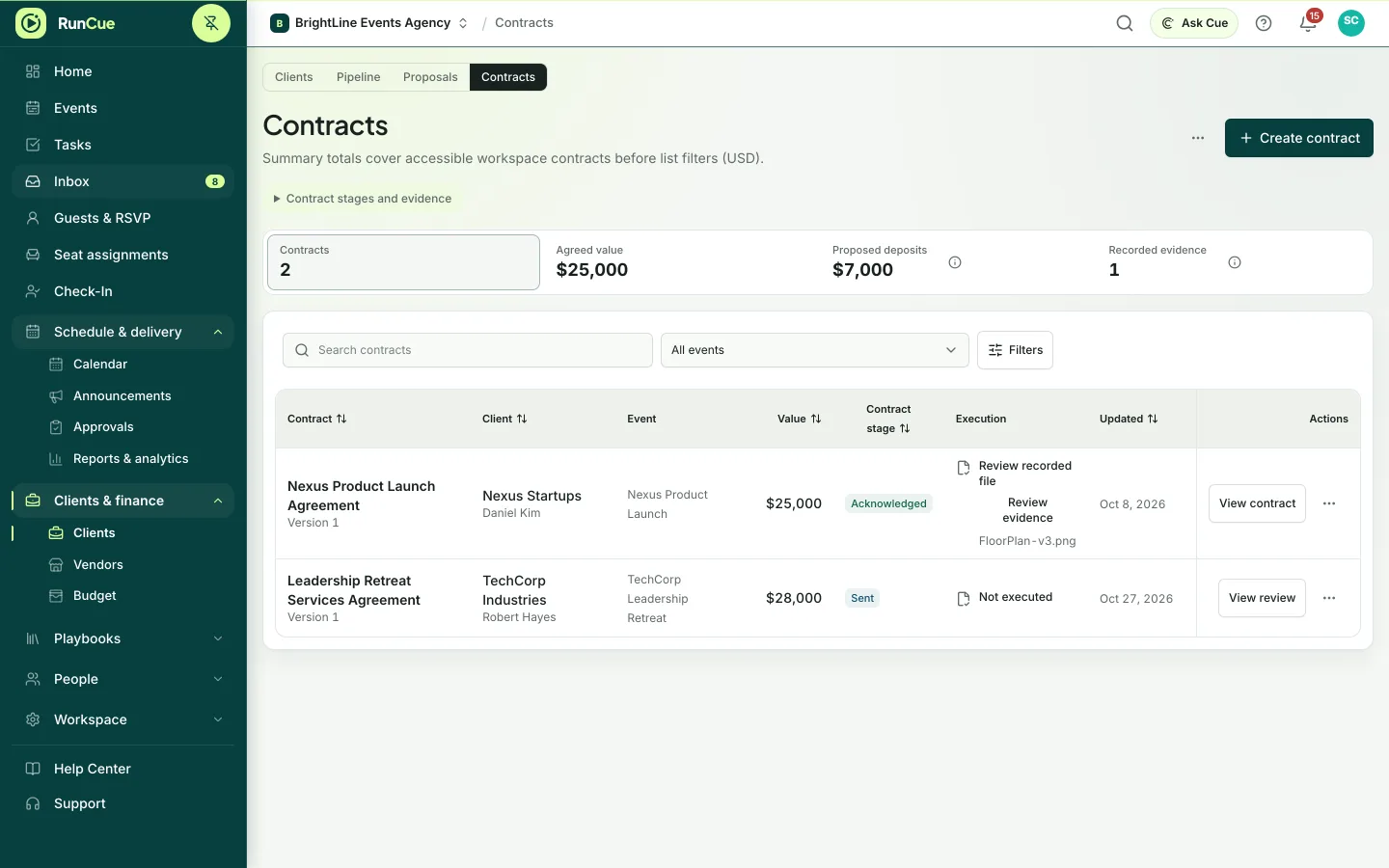
The client acknowledges the exact version you sent, or asks for changes. RunCue records who responded, when, and to which version, and issues a receipt.
- 05
File the executed copy
Formal execution happens elsewhere, for example on paper or in your e-signature tool. Upload the executed copy and it is stored privately, separate from the client’s review.
- 06
Keep the history
Comments, mentions, review responses and receipts stay attached to the record they are about.
Inside RunCue
Clients, contracts & portals · product view
What is included
- Roles for your team, per workspace and per event
- Comments, mentions and watchers
- Private client and vendor portals
- Proposals and contracts with version history
- Client change requests and acknowledgement receipts
- Private storage for executed copies
What changes for your team
- Access follows each person’s role
- Clients and vendors see only what you share
- You can always show which contract version a client reviewed
Questions about clients, contracts & portals
Do clients or vendors use a workspace seat?
No. Portal users do not count toward your plan’s member limit.
Can every teammate see everything?
No. Roles limit what each person can see and do, for the workspace and for each event.
Can clients sign contracts in RunCue?
No. Clients review and acknowledge a specific contract version in RunCue and receive an acknowledgement receipt. Formal execution happens elsewhere, and you upload the executed copy afterwards.